9 Best Video Editing Apps for Android & iPhone

Max Global: If you are looking for the best video editing apps for Android, the fastest way to narrow the field is to decide what you actually edit most, quick social clips, longer YouTube videos, or travel footage from your phone camera.
In 2026, most popular editors overlap on basic trimming, but they differ on what matters in real life: timeline control, captions, export quality, and whether the “free” version leaves a watermark. MAX Global brings you a practical, source-backed shortlist to help you choose an editor you can actually stick with.
How to choose the best video editing apps for Android
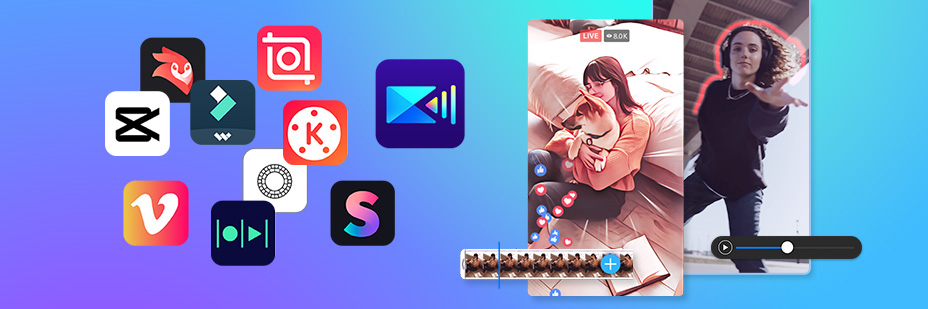
Before you download anything, scan three items that strongly affect the day-to-day experience.
First, check whether the app is truly usable without paying. Many editors are free to install but rely on in-app purchases or subscriptions for premium effects, higher export quality, or watermark removal. If you are comparing the best video editing apps for Android and iPhone, it is worth confirming those costs upfront so you do not build your workflow around a feature that later disappears behind a paywall.
Second, review privacy and data disclosures. Apple uses Privacy Nutrition Labels to help you understand how apps handle data on the App Store. On Google Play, the Data safety section is designed to show users whether and how developers collect, share, and protect data before installation.
Third, match the editing style to the project. If you want fast, template-driven edits, prioritize apps that emphasize automatic edits and ready-made themes. If you need tighter control (multi-track work, keyframes, chroma key, or stabilization), choose an editor whose official listing explicitly supports those workflows.
The 9 picks: best video editing apps for Android and iPhone
The apps below are available on both platforms, and their key claims are documented in official store listings.
1. CapCut
CapCut is a strong option when you want modern creator tools without learning a complicated desktop editor. Its official listings highlight keyframe animation, smooth slow-motion, chroma key, stabilization, and creator-facing tools such as auto captions, text-to-speech, motion tracking, and background removal. Among the best video editing apps for Android, it stands out for combining “quick templates” energy with deeper controls.
2. GoPro Quik
Quik is built around speed: it can automatically find your best shots, sync them to music, add transitions, and generate a shareable edit. GoPro’s listing also notes cloud backup (via GoPro cloud) so footage can be accessed and edited on the go, which is especially useful if you shoot on a phone plus an action camera.
3. PowerDirector

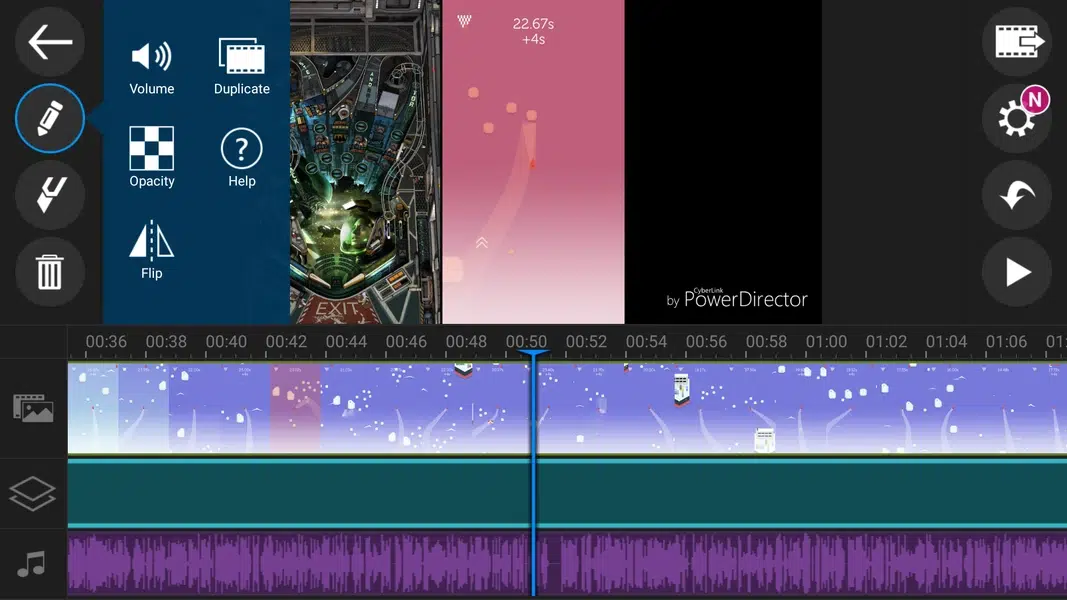
PowerDirector positions itself as an “AI video editor” with tools aimed at quickly producing social-ready clips. Its official listings emphasize AI Auto Edit tools and a broad set of animation filters to help turn videos and photos into short, shareable content.
4. Filmora (FilmoraGo)
Filmora is designed for social creators who want something easier than professional desktop tools but stronger than basic phone editors. The listings describe it as an AI-powered editor and highlight template-led creation for platforms like TikTok, Reels, and YouTube.
5. InShot

InShot is an all-in-one editor that keeps everyday edits straightforward: add music, text, and transitions; create smooth slow motion; build collages; or blur backgrounds for vertical video. Its App Store listing also highlights AI features such as auto captions and background removal, which can speed up edits for Reels and Shorts.
6. KineMaster

KineMaster aims at creators who want “more than basic” without leaving mobile. The company highlights thousands of templates, cloud project saving for cross-device editing, and a layered editing approach plus tools like speed control and reverse playback. For many creators, the best video editing apps for Android are the ones that let you work fast while still giving you room to grow—this is where KineMaster fits.
7. VN (VN Video Editor)

VN is often chosen by creators who want a clean interface and multi-track control. The Google Play listing describes features such as an intuitive multi-track editor and fine keyframe control, which matters when you are syncing text, effects, and cuts.
8. VivaVideo
VivaVideo targets users who want a feature-rich editor with both classic tools and newer AI options. The Google Play listing mentions items such as keyframe editing, transitions and effects, music, and speed changes, along with AI features like auto captions.
9. Funimate

Funimate is oriented toward social effects and motion-style edits. Its official Play Store listing mentions advanced effects, keyframes, transitions, overlays, and text; it is best when you want punchy edits quickly rather than a long-form workflow.
A simple workflow to test any editor in 10 minutes
When you are comparing the best video editing apps for Android, use the same short test clip in every app. Import a 15–30 second video, trim it, add one title, add one music track, and export once. Then compare:
- how fast you can find tools.
- whether captions are easy.
- whether the export is clean.
- whether the free tier adds a watermark or limits export.
- Check the store listing for “In-App Purchases” or “Offers in-app purchases” so you know what may be locked behind payment.
Choosing the best video editing apps for Android is less about chasing the longest feature list and more about picking the editor whose workflow matches your content. Start with one fast template editor and one timeline-focused editor, publish three videos, and keep the one that helps you ship consistently.


